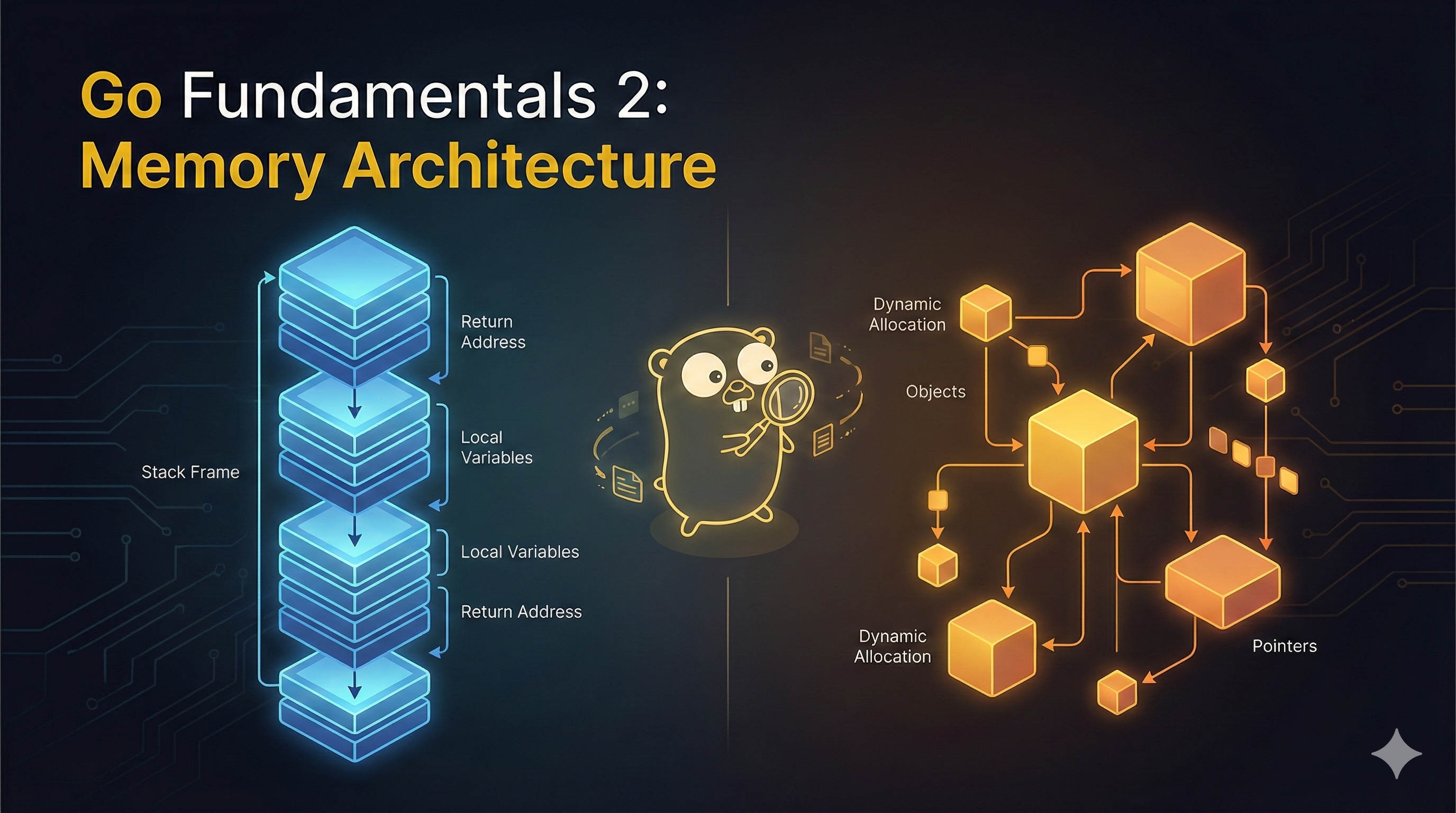
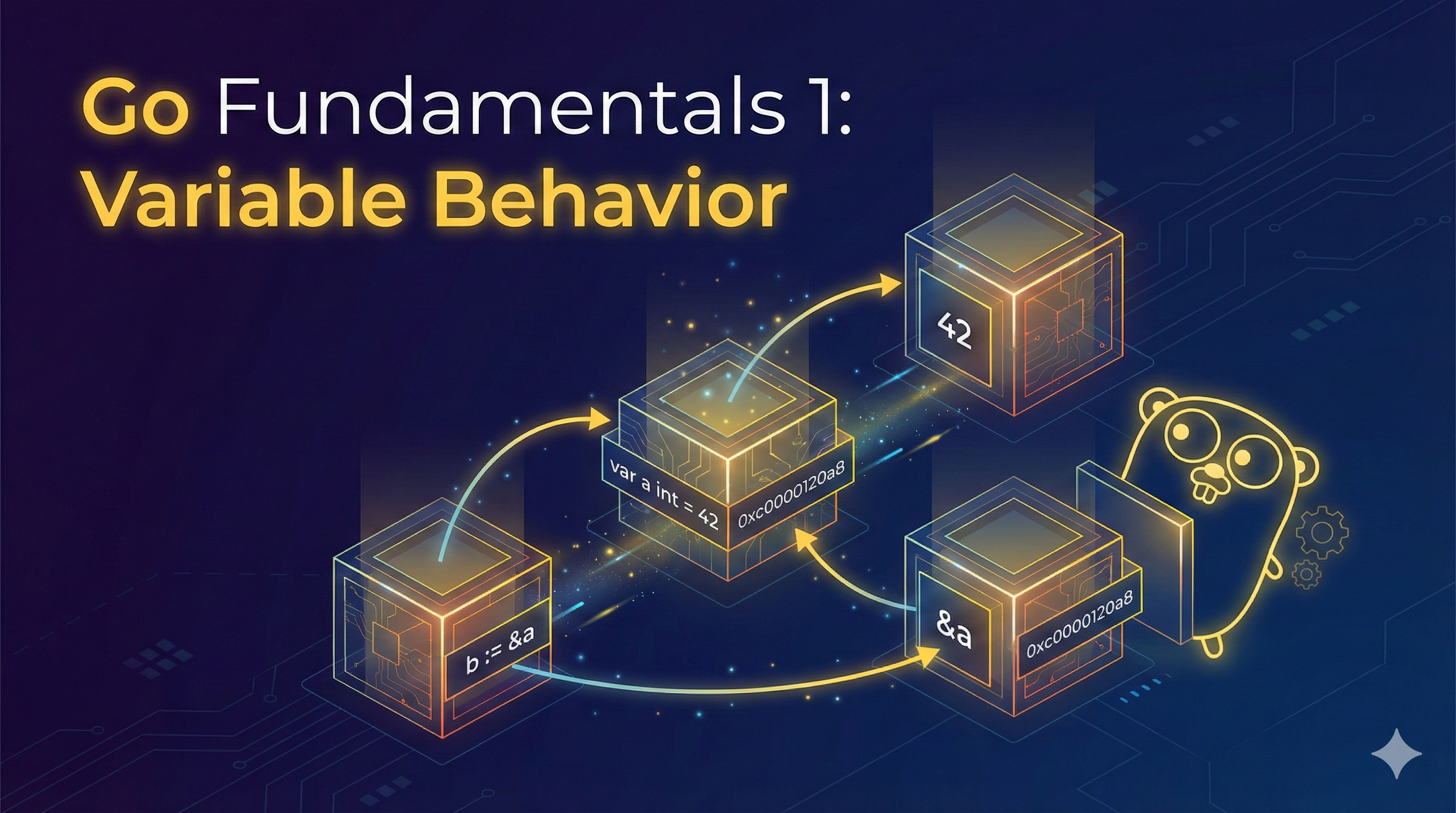
This post covers Go variable behavior, including mutability, function pass types, zero values, and common pitfalls to avoid.
Variable Type Behavior
Mutability
What will the following python code print?
1
2
3
4
5
6
7
8
9
def func1():
    x = 1
    func2(x)
    print(x)

def func2(x):
    x += 1

func1()
Click to reveal answer
The answer is `1`. Integers are immutable in Python, so `x += 1` in `func2` creates a new local variable rather than modifying the original.What will the following python code print?
1
2
3
4
5
6
7
8
9
def func1():
    x = {"key": 1}
    func2(x)
    print(x["key"])

def func2(x):
    x["key"] += 1

func1()
Click to reveal answer
The answer is `2`. Dictionaries are mutable in Python, so the modification in `func2` affects the original dictionary.Primitive Vs. Non-Primitive
If you’ve programmed in either Python, JavaScript, Java, C#, PHP and many more languages, this should feel very intuitive:
- Primitive variables are immutable.
- Non primitive variables are mutable.
Why? Function pass types.
Function Pass Types
Pass By Value
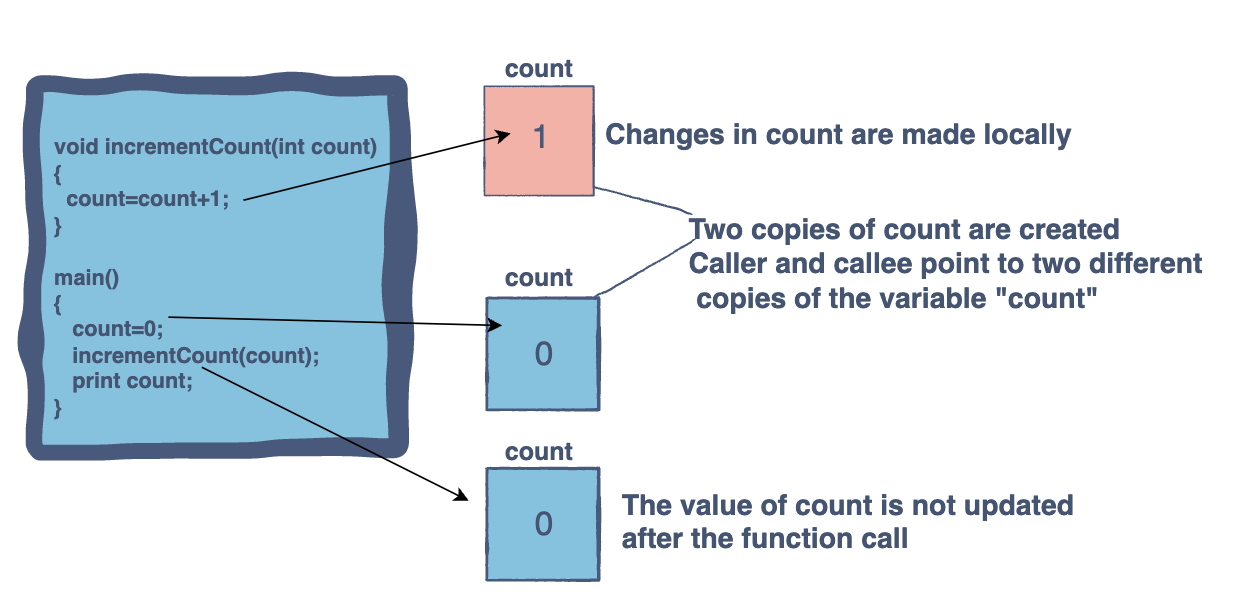
In pass by value:
- Two copies of
countare created - Caller and callee point to two different copies of the variable
count - Changes in
countare made locally - The value of
countis not updated after the function call
Pass By Reference
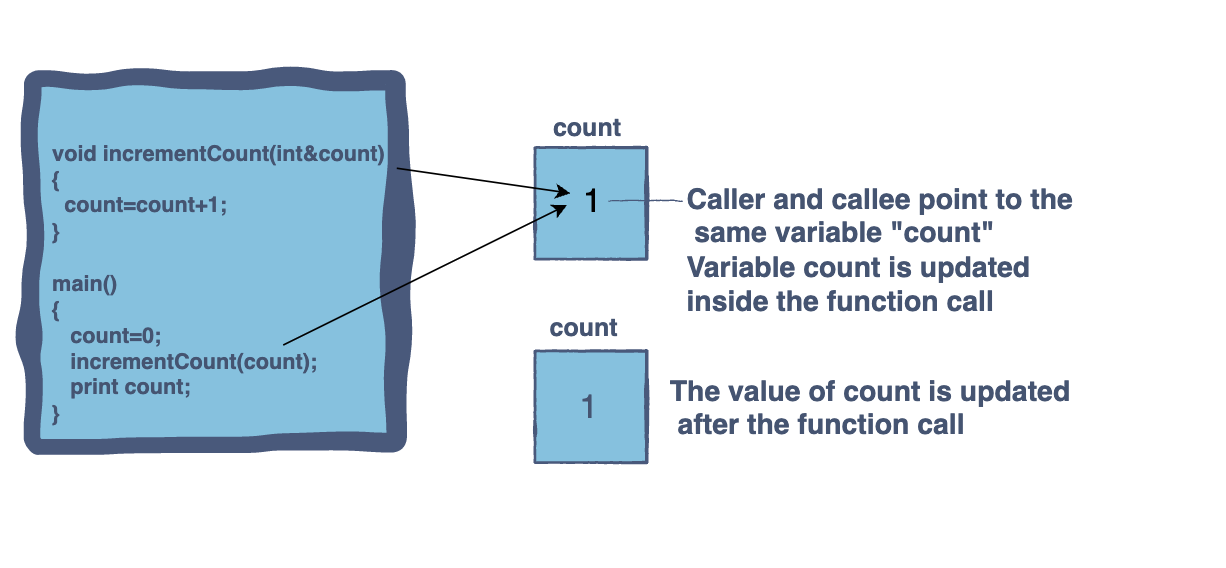
In pass by reference:
- Caller and callee point to the same variable
count - Variable
countis updated inside the function call - The value of
countis updated after the function call
Go Function Pass Types
Pass By Value
1
2
3
4
5
6
7
8
func main() {
    i := 1
    f(i)
}

func f(i int) {
    i++
}
In Go, every variable type can be passed by reference if it’s a pointer.
Pass By Pointer
1
2
3
4
5
6
7
8
func main() {
    i := 1
    f(&i)
}

func f(i *int) {
    *i++
}
Zero Values
Nullability
Only the following types can be nil:
- pointer types
- map types
- slice types
- function types
- channel types
- interface types
As opposed to other languages: structs cannot be nil unless they are pointers, and “primitives” can be nil if they are pointers. Due to that, Go does not have the notion of primitive variables.
Zero Values
What will be the value of someVariable?
1
2
3
4
func main() {
    var someVariable int
    fmt.Println(someVariable)
}
Zero value by type:
1
2
3
4
5
6
7
8
| Type                     | Value                                                                       |
|--------------------------|-----------------------------------------------------------------------------|
| Numeric variables        | `0`                                                                         |
| Strings                  | `""`                                                                        |
| Booleans                 | `false`                                                                     |
| Structs                  | instance of the struct with all fields initialized to their own zero values |
| Arrays (but not slices)  | all elements inside initialized to their own zero values                    |
| Everything else          | `nil`                                                                       |
Struct Zero Value
What will be the zero value of the following struct:
1
2
3
4
5
6
7
8
9
10
11
12
13
14
15
16
type Parent struct {
    a int
    b string
    c bool
    d child
}

type child struct {
    a float64
    b chan bool
}

func main() {
    var someVariable Parent
    fmt.Println(someVariable)
}
Click to reveal answer
Output: {0 false {0 <nil>}}
a int→0b string→""(empty string, appears as space in output)c bool→falsed child→{0 <nil>}(float64 is0, chan bool isnil)
Variable Behavior
Behavior of Arrays
Arrays have fixed size:
1
2
3
4
5
func main() {
    var x [4]int
    x[1] = 1
    fmt.Println(x) // [0 1 0 0]
}
Behavior of Slices
Slices have dynamic size but they use a backing array. Slices can be seen as pointers to their backing array.
1
2
3
4
5
6
7
8
9
10
11
func main() {
    x := []int{1, 2, 3, 4}
    y := x[1:]
    fmt.Println(y) // [2 3 4]
    mutateSlice(y)
    fmt.Println(x) // [1 2 14 4]
}

func mutateSlice(y []int) {
    y[1] = 14
}
Slices have len and cap, where:
lenis the length of the slice and the last relevant element in the backing arraycapis the current capacity of the slice and size of the backing array
1
2
3
4
5
6
7
func main() {
    result := make([]int, 2, 4)
    result[0] = 1
    result[1] = 2
    fmt.Println(result) // slice is [1 2]
    // backing array is [1, 2, 0, 0]
}
What will happen here?
1
2
3
4
5
6
func main() {
    result := make([]int, 2, 4)
    result[0] = 1
    result[1] = 2
    fmt.Println(result[2])
}
Click to reveal answer
panic: runtime error: index out of range [2] with length 2 goroutine 1 [running]: main.main() Process finished with the exit code 2Creating a new slice
1
2
3
4
5
6
7
func appendSuffixToSliceElements(slice []string, suffix string) []string {
    result := []string{}
    for _, element := range slice {
        result = append(result, element + suffix)
    }
    return result
}
Empty slices behave like nil (with one exception, JSON marshalling produce null instead of []), but the performance is better.
This is a bit better, but still has bad performance when the slice grows beyond its capacity, causing repeated reallocations:
1
2
3
4
5
6
7
func appendSuffixToSliceElements(slice []string, suffix string) []string {
    var result []string
    for _, element := range slice {
        result = append(result, element + suffix)
    }
    return result
}
Improve it by creating the backing array with the required capacity when possible:
1
2
3
4
5
6
7
func appendSuffixToSliceElements(slice []string, suffix string) []string {
    result := make([]string, 0, len(slice))
    for _, element := range slice {
        result = append(result, element + suffix)
    }
    return result
}
But note the difference between len and cap.
What happens if you specify len instead of cap?
1
2
3
4
5
6
7
8
func main() {
    slice := []int{1, 2, 3}
    result := make([]int, len(slice))
    for _, i := range slice {
        result = append(result, i)
    }
    fmt.Println(result) // [0 0 0 1 2 3]
}
vs.
1
2
3
4
5
6
7
8
func main() {
    slice := []int{1, 2, 3}
    result := make([]int, 0, len(slice))
    for _, i := range slice {
        result = append(result, i)
    }
    fmt.Println(result) // [1 2 3]
}
Behavior of Maps
Maps are always effectively pointers:
1
2
3
4
5
6
7
8
9
10
func main() {
    x := map[string]interface{}{"a": 1}
    fmt.Println(x) // map[a:1]
    mutateMap(x)
    fmt.Println(x) // map[a:false]
}

func mutateMap(x map[string]interface{}) {
    x["a"] = false
}
Pitfalls & Code Smells
Pointer to non-structs
Pointer to non structs can be considered as code smells. Usually, they can be refactored to a function that takes a value and returns a value, instead of a mutating function. (pure functions, no side effects).
1
2
3
4
5
6
7
8
9
10
func main() {
    x := 3
    y := 4
    add(&x, y)
    fmt.Println(x) // 7
}

func add(x *int, y int) {
    *x = *x + y
}
Pure functions are:
- More readable
- Easier to reason about
- Easier to combine
- Easier to test
- Easier to debug
- Easier to parallelize
Better approach:
1
2
3
4
5
6
7
8
9
10
func main() {
    x := 3
    y := 4
    x = add(x, y)
    fmt.Println(x) // 7
}

func add(x int, y int) int {
    return x + y
}
Pointers to interfaces
Pointers to interfaces will not work as you expect:
1
2
3
4
5
6
7
8
type SomeInterface interface {
    Foo()
}

func main() {
    var x *SomeInterface
    x.Foo() // Unresolved reference 'Foo'
}
The nil interface pitfall
What will this function print:
1
2
3
4
5
6
7
8
9
10
11
12
13
14
15
16
17
18
19
20
func main() {
    err := validateAge(19)
    if err != nil {
        fmt.Println("you are younger than 18")
    } else {
        fmt.Println("you are older than 18")
    }
}

func validateAge(age int) error {
    var err *TooYoungError = nil
    if age < 18 {
        err = &TooYoungError{}
    }
    return err
}

type TooYoungError struct {}

func (t *TooYoungError) Error() string { return "too young" }
Output:
1
you are younger than 18
Wait, what? Age 19 should pass validation! This is the bug - the nil interface pitfall in action.
In Go, error is a builtin interface:
1
2
3
type error interface {
    Error() string
}
To understand what happens, let’s look at Go’s interface variable memory layout:
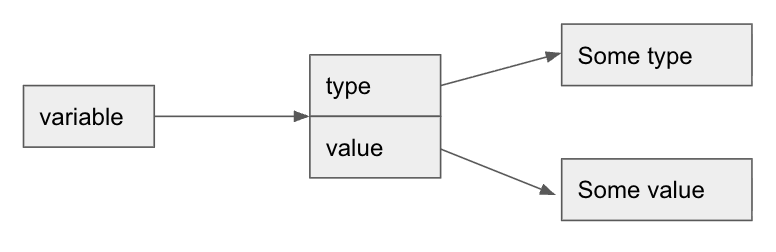
An interface variable contains two parts:
type- pointing to the concrete typevalue- pointing to the actual value
Meaning, if we set a concrete type to an interface variable, even if the actual value is nil, it will be a non-nil interface pointer, which points to a nil value.
1
2
3
4
5
6
7
8
9
10
11
12
13
14
func main() {
    var x *SomeImplementation = nil
    var y SomeInterface = x
    fmt.Println(y) // <nil>
    fmt.Println(y == nil) // false
}

type SomeInterface interface {
    Foo()
}

type SomeImplementation struct {}

func (s *SomeImplementation) Foo() {}
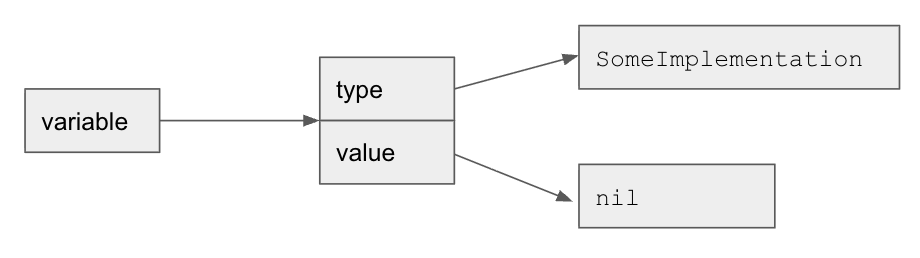
How can we avoid it? Always declare error variables as error.
1
2
3
4
5
6
7
func validateAge(age int) error {
    var err error
    if age < 18 {
        err = &TooYoungError{}
    }
    return err
}
Output:
1
you are older than 18
For loop variable capture
Let’s discuss for loop behavior: what will be the output of the following code? Also, what is the Sleep call for?
1
2
3
4
5
6
7
8
9
func main() {
    x := []int{1, 2, 3, 4}
    for _, i := range x {
        go func() {
            fmt.Println(i)
        }()
    }
    time.Sleep(time.Second)
}
Output:
1
2
3
4
4
4
4
4
How to fix it?
Option 1 - Pass as parameter:
1
2
3
4
5
6
7
8
9
func main() {
    x := []int{1, 2, 3, 4}
    for _, i := range x {
        go func(i int) {
            fmt.Println(i)
        }(i)
    }
    time.Sleep(time.Second)
}
Option 2 - Create a new variable:
1
2
3
4
5
6
7
8
9
10
func main() {
    x := []int{1, 2, 3, 4}
    for _, i := range x {
        i := i
        go func() {
            fmt.Println(i)
        }()
    }
    time.Sleep(time.Second)
}
As of Go 1.22, this is no longer an issue. However, you’ll still see many of these in many Go codebases.